Turn a ChatGPT conversation into a PDF you can keep, print or share – the whole chat or only the part you need. Tables, code and pictures are kept, and long chats are saved in full.
Takes about a minute the first time. No account, no sign-up.
Install the free ChatSavr extension from the Chrome Web Store (also works in Edge and Brave).
On chatgpt.com, open your chat and click the purple Save chat button (or press Alt+Shift+S). Choose the whole chat or only some parts, then PDF.
Click Save. Your PDF is ready – check it with Preview first if you like.
No sound needed – every step has a caption.
 Step-by-step tutorial (50 seconds)From installing ChatSavr to your finished PDF file – every step shown. Watch on YouTube →
ChatGPT only keeps part of a long chat on screen, so printing or copying misses messages. ChatSavr reads the whole chat.
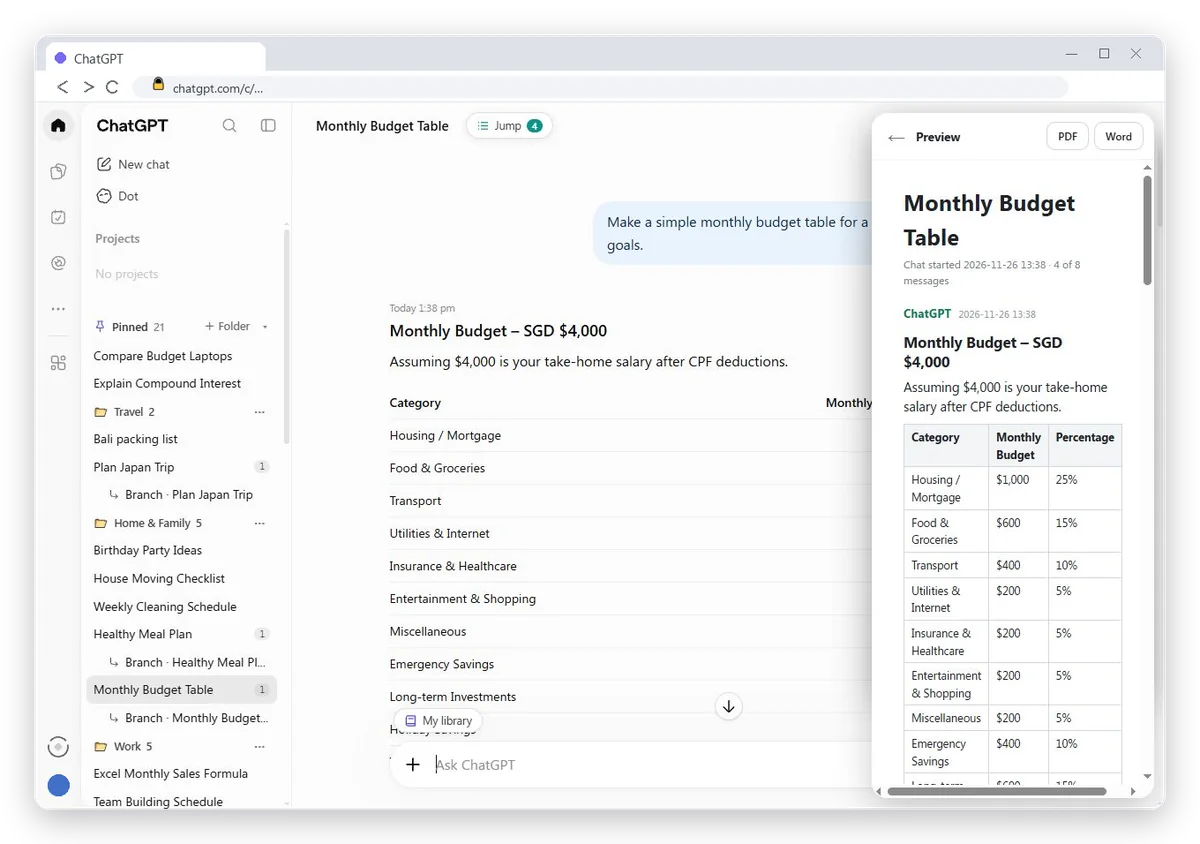
Headings, lists, tables, code and pictures stay as they are – no ** or ## marks.
Save only the answers, your questions, the last 5 messages – or highlight any words.
Files are made inside your own browser. No server, no account, nothing uploaded.
A real ChatGPT chat saved with ChatSavr.
Yes. Saving chats as PDF – whole or in part – is free with no limit.
Yes. ChatSavr reads the whole chat from ChatGPT, not just what is on screen, so long chats are saved in full.
Yes. Choose Only some parts, or highlight the words you want and click PDF on the small bar.
Yes. Tables, code blocks, lists, pictures and charts from the chat are kept in the PDF.
No. ChatSavr makes the PDF inside your own browser. Nothing is sent to a server.
Install in seconds. No sign-up, no card. Your chats never leave your computer.
Add to ChromeMore: All ChatSavr features · Guides · Pricing
